Physical Address
Islamabad, Pakistan
Physical Address
Islamabad, Pakistan

A couple of years ago, it felt like a new AI tool was launching every single day. Most promised to “revolutionize your workflow,” but many ended up creating more work than they saved. Between learning new interfaces, fixing AI mistakes, and juggling multiple subscriptions, the excitement quickly wore off.
In 2026, things are different.
The AI market has matured, and a handful of tools have genuinely become everyday productivity companions. Instead of trying to replace people, the best AI tools now help you spend less time on repetitive tasks so you can focus on work that actually matters.
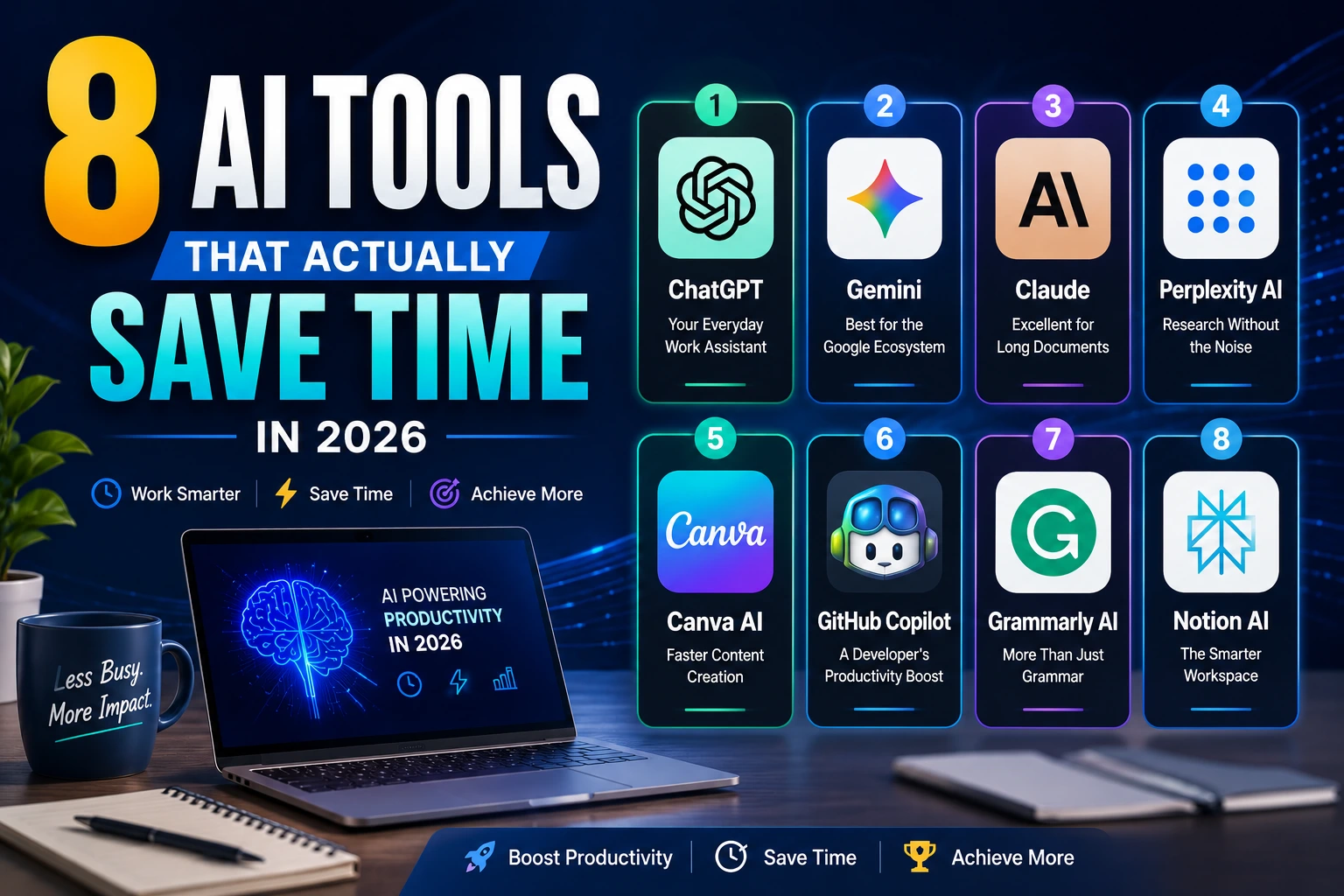
Here are seven AI tools that are worth your attention this year.
If you’re writing emails, brainstorming ideas, researching topics, or summarizing long documents, ChatGPT has become incredibly reliable.
What makes it stand out isn’t just that it can answer questions—it’s how flexible it is. Developers use it to debug code, marketers use it to write campaigns, students use it to study, and business owners use it to create reports in minutes.
Instead of spending an hour staring at a blank screen, you can start with a solid first draft and improve it.
If you already rely on Google Workspace for your daily tasks, Gemini is one of the most practical AI assistants you can use in 2026.
Unlike standalone AI chatbots, Gemini integrates directly with services like Gmail, Google Docs, Google Sheets, Google Drive, and Google Meet. This means you can summarize emails, draft documents, analyze spreadsheets, and prepare meeting notes without constantly switching between different apps.
One of Gemini’s biggest strengths is its multimodal capabilities. You can upload images, PDFs, charts, and documents, then ask questions about them or request summaries and insights. It also performs well for coding, brainstorming, research, and content creation.
For businesses and individuals already invested in Google’s ecosystem, Gemini feels less like an additional tool and more like a built-in productivity assistant that works across your existing workflow.
If your notes are scattered across different apps, Notion AI helps bring everything together.
It can summarize meeting notes, organize research, generate task lists, and even help write documentation without leaving your workspace.
Imagine finishing a one-hour meeting and getting a clean summary with action items in under a minute. That’s the kind of time-saving feature professionals appreciate.
Best for:
Sometimes you don’t need flashy features—you just need AI that understands complex information.
Claude has become one of the best tools for reading long reports, contracts, research papers, and policy documents.
Instead of reading 80 pages yourself, you can ask questions like:
It feels less like searching through documents and more like having someone who already read everything.
Traditional search engines often require opening ten different tabs before finding the information you actually need.
Perplexity AI changes that.
It combines web search with AI-generated summaries while showing the sources behind its answers. That makes it especially useful when you’re researching current topics or comparing products.
Great for:
Instead of searching for 30 minutes, you often get a useful answer within a couple of minutes.
Creating graphics used to require either design skills or a designer.
Now, Canva’s AI tools help generate presentations, social media graphics, marketing materials, and images much faster than before.
Need an Instagram post?
Describe what you want, choose a style, make a few edits, and you’re done.
It’s especially useful for small businesses, freelancers, and content creators who need professional-looking visuals without spending hours designing them.
Writing code still requires skill, but developers no longer have to type every line manually.
GitHub Copilot helps by:
It won’t replace experienced developers, but it removes a lot of repetitive work that used to consume valuable time.
For many programmers, it’s like having a knowledgeable teammate available all day.
Grammarly has evolved well beyond fixing spelling mistakes.
Today, it helps rewrite sentences, improve clarity, adjust tone, shorten long paragraphs, and even generate responses for emails.
Whether you’re writing proposals, reports, or LinkedIn posts, it helps you communicate more clearly without spending extra time editing.
It’s one of those tools that quietly saves minutes every day—and those minutes add up quickly.
One mistake many people make is trying to use every new AI product they discover.
In reality, you’re better off choosing two or three tools that fit your daily workflow.
For example:
The goal isn’t to collect AI tools—it’s to reduce repetitive work.
The most valuable AI tools aren’t necessarily the ones with the longest feature lists.
They’re the ones you actually use every day.
Saving five minutes here, ten minutes there, and half an hour on repetitive tasks may not seem dramatic, but over weeks and months, those small gains become significant.
Rather than replacing human creativity, today’s best AI tools handle the routine work so people can focus on thinking, solving problems, and making better decisions.
AI has moved beyond being a trend. In 2026, it’s becoming a practical part of everyday work.
Whether you’re a student, developer, marketer, entrepreneur, or business professional, the right AI tools can help you work faster without sacrificing quality.
The key is simple: don’t chase every new app. Find the tools that solve your biggest daily frustrations, learn them well, and let them handle the repetitive tasks while you focus on what humans still do best—creating, deciding, and innovating.